Edge slides
Slide one finger along any edge of the trackpad to turn the volume, brightness or zoom up and down as you go, like a slider.
GlissTouch adds new Multi-Touch gestures to your MacBook trackpad or Magic Trackpad, and runs a shortcut, an app or a window move for each one.
One to five finger gestures, on top of the ones macOS already gives you. Start with a gesture pack for your browser or code editor.
Slide one finger along any edge of the trackpad to turn the volume, brightness or zoom up and down as you go, like a slider.
Rest one, two or three fingers, then tap another beside them.
Rest one finger and slide another up or down beside it.
Three and four finger taps, double taps and clicks, and swipes with three to five fingers.
Tap a corner of the trackpad with one finger.
Press harder with one, three or four fingers for one more gesture.
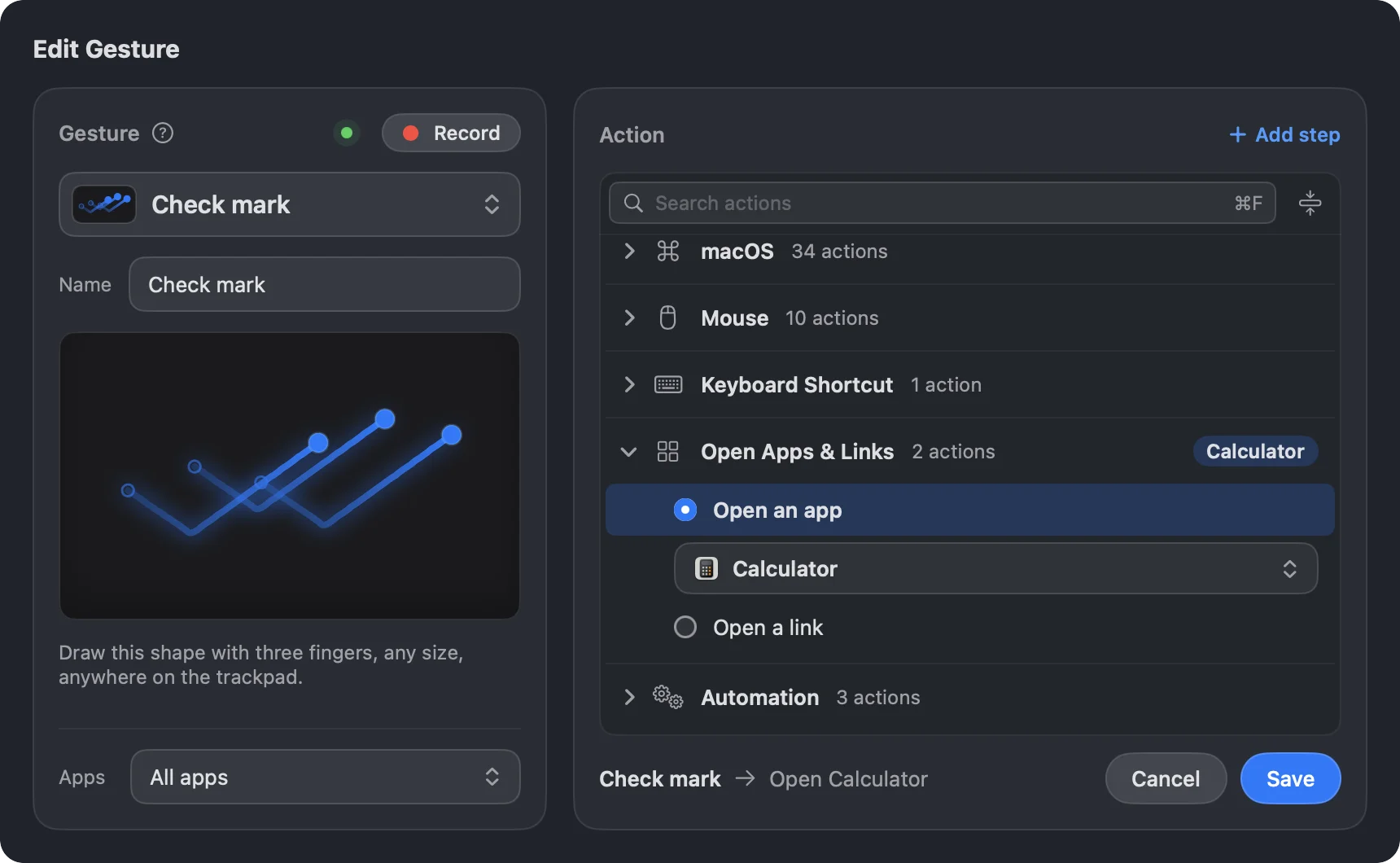
Draw a letter or a shape with three to five fingers. Direction counts.
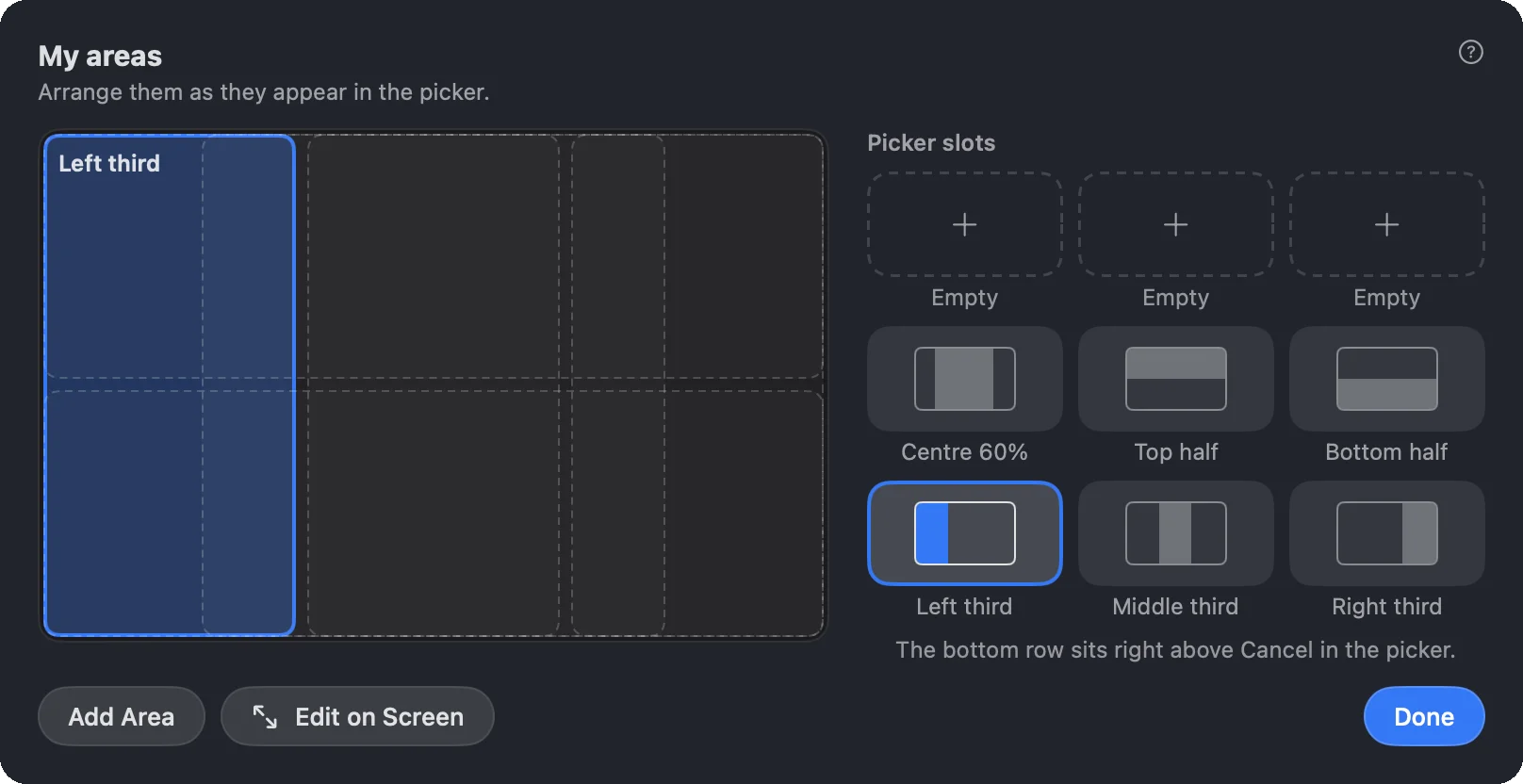
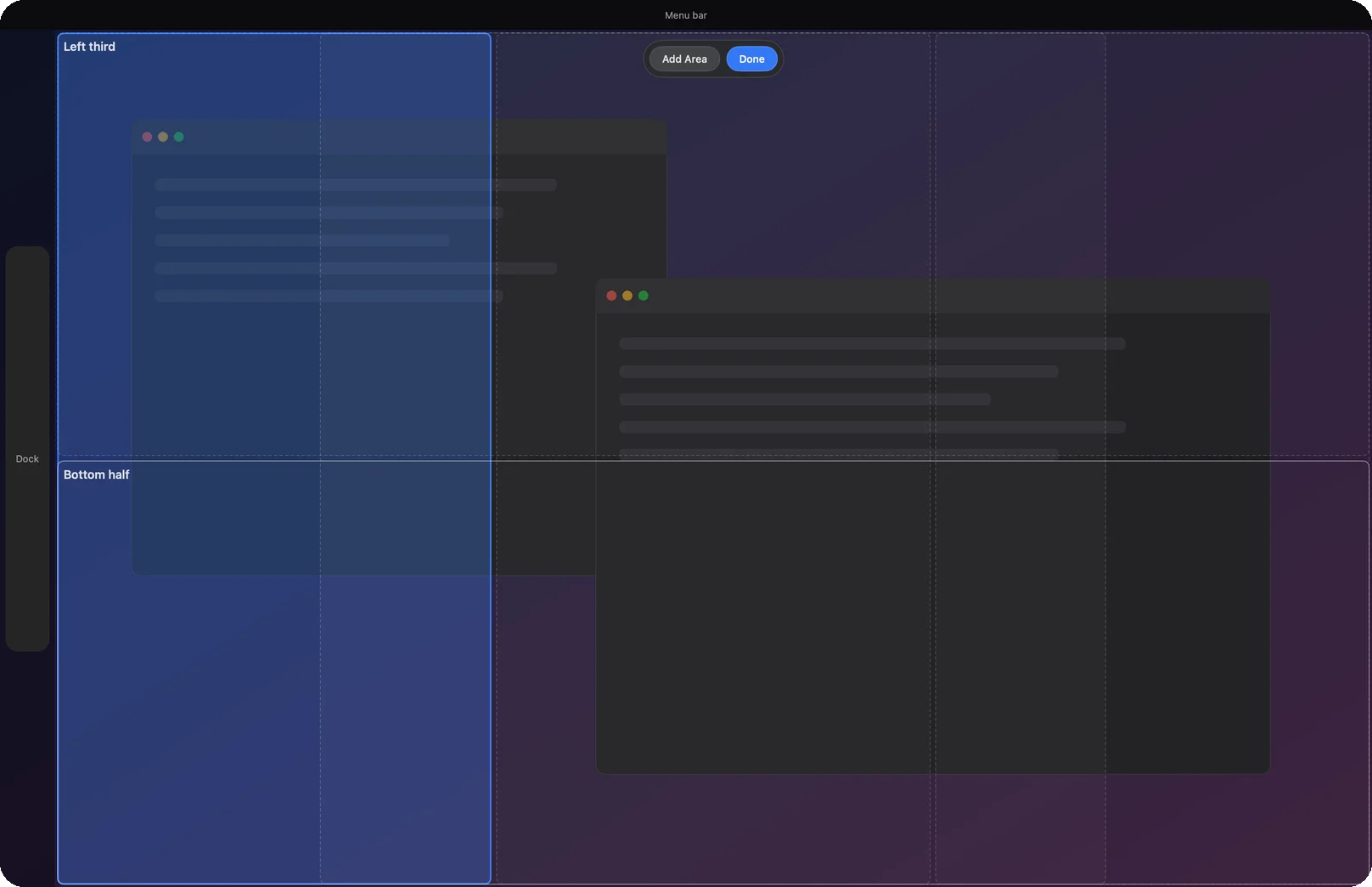
Swipe two fingers on a window’s title bar, slide toward a spot and lift, or pick a spot from the menu bar. With Pro, draw your own snap areas at any size, right on your screen.
Pick a spot on a grid that follows your fingers.
Send the window to your other screen or the next desktop in the same swipe.
Snap the front window to a half, a quarter or your areas from the menu bar.
Up to 9 presets, like thirds or a centered window, or a ninths grid.
Any size you like, adjusted on screen, with a set for each display.
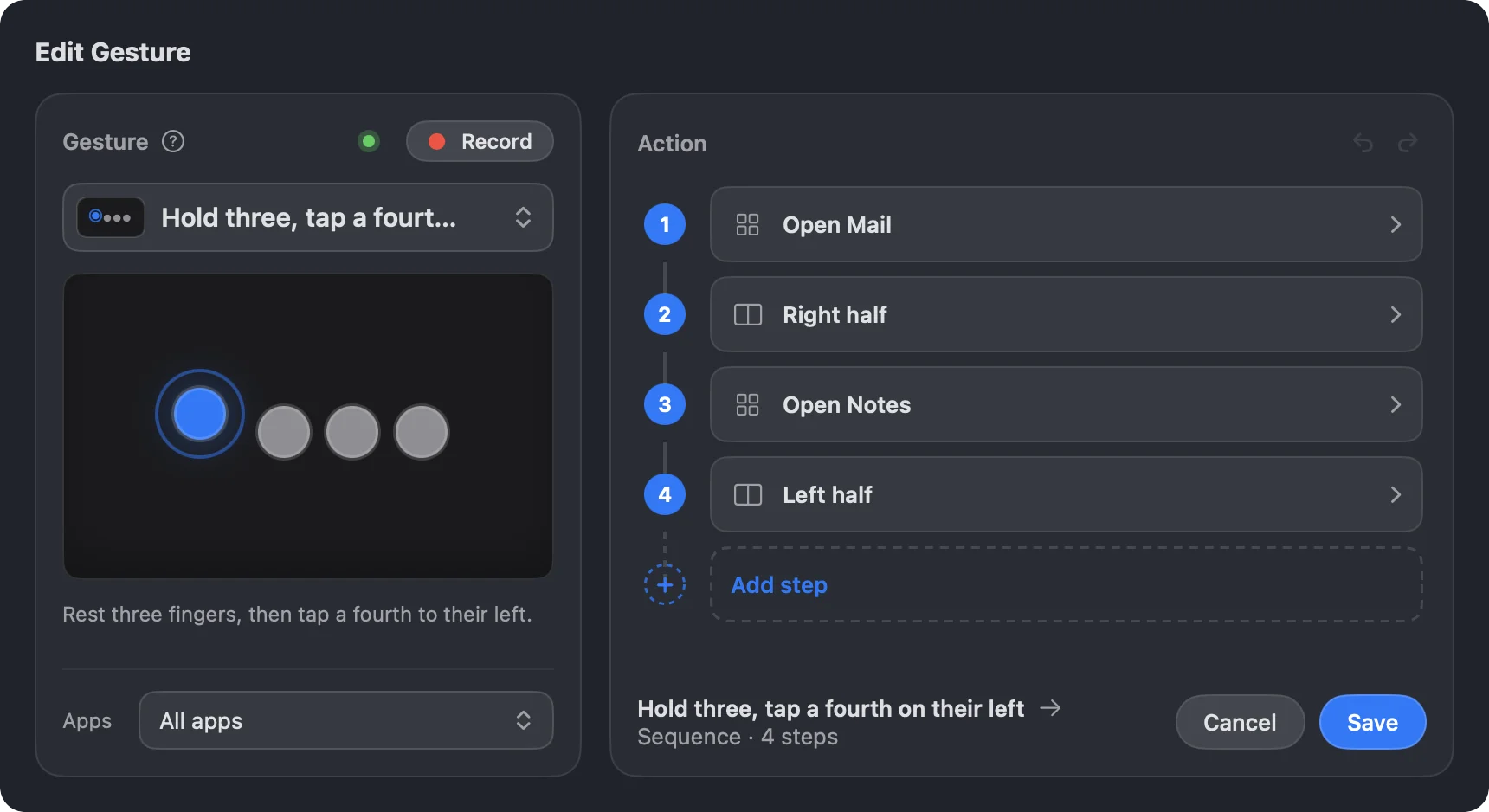
Every gesture runs one action, or a whole routine with Pro. Edge slides keep running theirs as you slide: volume, brightness, keyboard backlight, zoom, tabs and apps.
Switch tabs, move between desktops and open Mission Control without the keyboard.
Open an app or a link, or run one of your Shortcuts.
Type your own text into any app, or play one of the macOS sounds.
Chain up to 20 steps. If, Else and Loop steps check what’s on screen or which app is in front.
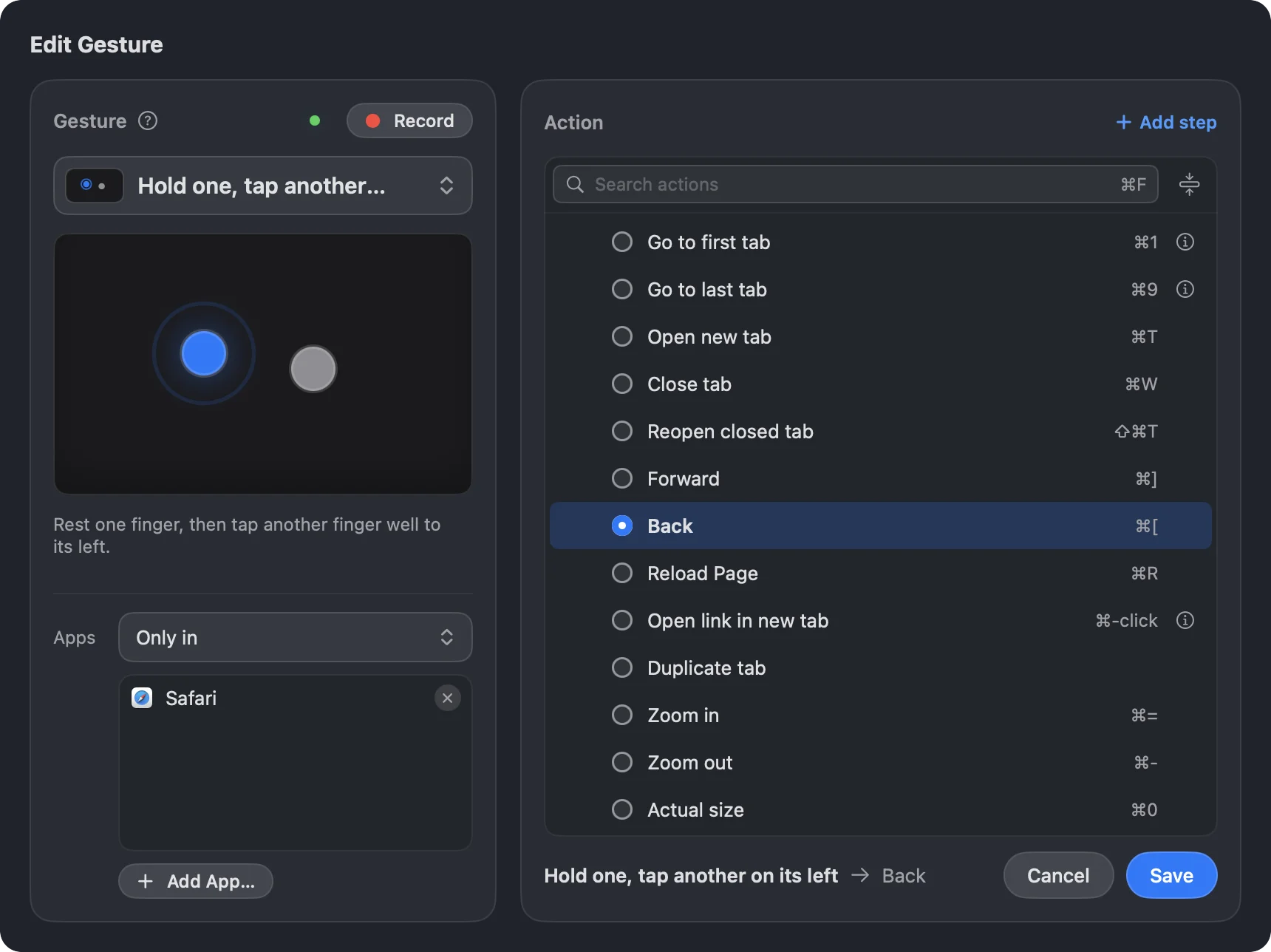
Limit a gesture to some apps, or every app but a few. Free includes it.
Turn GlissTouch off in the app you’re in, or pause it with your own shortcut.
If macOS already uses a gesture, GlissTouch warns you and links to the setting.
It rests until you touch the trackpad, so your battery won’t notice.
Feel a tap when a gesture runs, at the strength you pick. Needs a Force Touch trackpad.
Export your gestures, snapping and settings to a file, then import them on another Mac.
Questions? See the FAQ or compare the plans.