Gestures macOS doesn’t use
GlissTouch picks finger patterns macOS leaves free, so scrolling, swiping between pages and Mission Control work exactly as before.
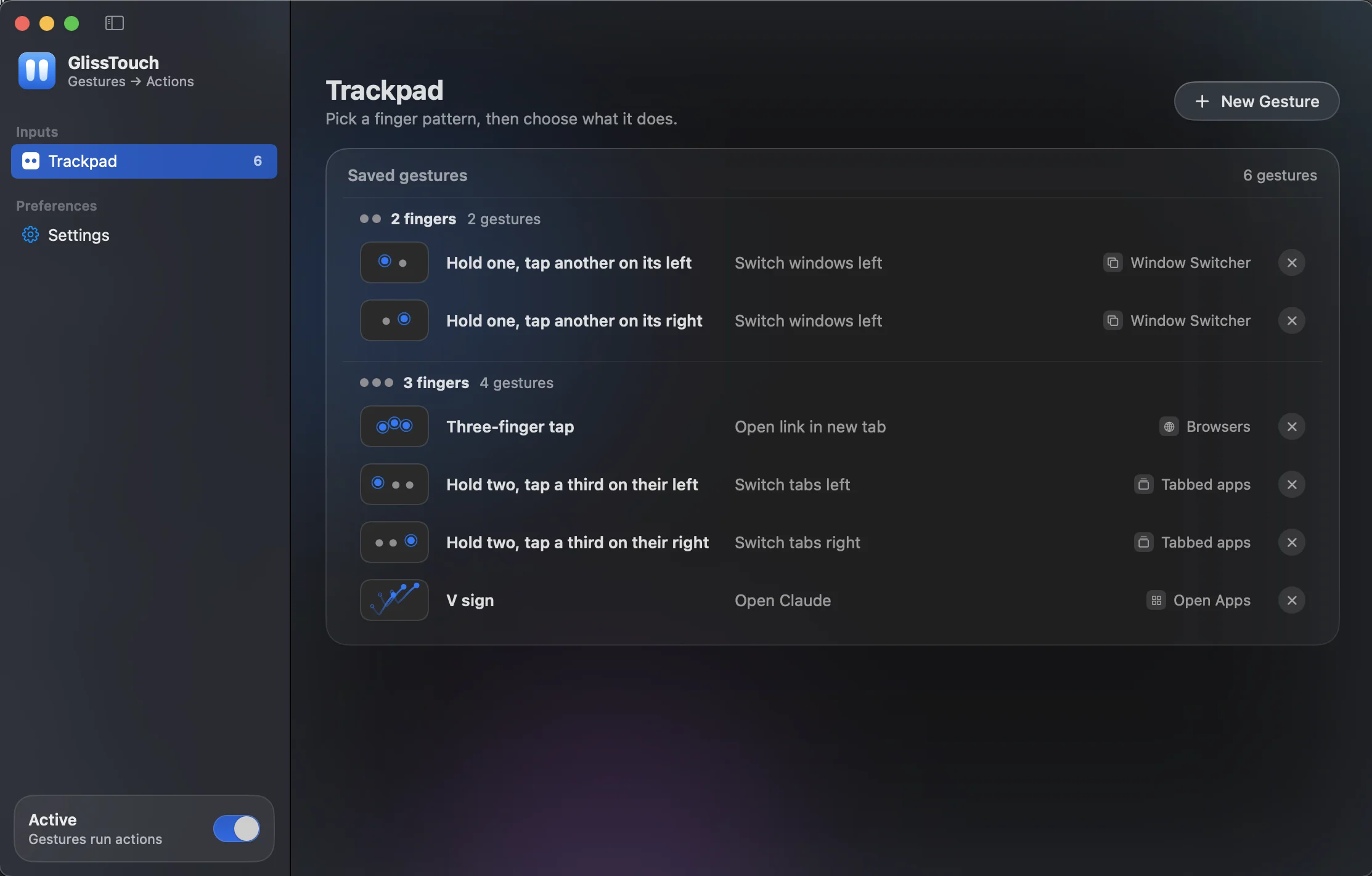
GlissTouch turns finger patterns on your Mac trackpad into actions. Rest one finger and tap another to go back. Hold two and tap a third to change tabs. Draw a shape to open an app.
Animation: resting one finger and tapping another on its left goes back a page, resting two fingers and tapping a third on their left switches to the tab on the left, and drawing a check mark with three fingers opens Notes.
macOS ships a fixed set of gestures, and most of them are already spoken for. Everything else means a reach for the keyboard.
⌃⇧⇥ to go back a tab, ⌘` to cycle windows, Spotlight to open an app.
One gesture each, in the app you’re already using.
GlissTouch picks finger patterns macOS leaves free, so scrolling, swiping between pages and Mission Control work exactly as before.
Record any shape with three to five fingers. GlissTouch matches it at any size, anywhere on the pad, and never mistakes a Z for an N.
Tabs, windows, spaces, media keys, opening apps, or a keyboard shortcut you record.
0.0%CPU in Activity Monitor while you aren’t gesturing
Measured with the window open and nobody touching the trackpad. It only works while your fingers do.
Record a gesture, pick what it should do, and you’re done. Then GlissTouch steps aside into the menu bar until your fingers call it.
Your hand is already on the trackpad.
Now it can do the rest.
Everything works in Free. Pro removes the limit.
$0
$[price]paid once
Refunds within 14 days of purchase. See the refund policy.
Something else? Email support@example.com.
It’s how macOS lets an app read trackpad gestures in every app and press shortcuts for you. GlissTouch reads nothing else.
Updates aren’t signed with an Apple Developer ID yet, so macOS sees each version as a new app. Turn GlissTouch back on in System Settings › Privacy & Security › Accessibility.
No. When you pick a gesture macOS already uses, GlissTouch tells you and links to the setting that controls it.
No. Your gestures and settings stay on your Mac, and this site runs no analytics. The privacy policy lists the little the license server keeps for Pro.
Any Mac with a trackpad running macOS 13 Ventura or later.
Reading gestures in every app needs permissions App Store apps can’t have, so you download it here. It updates itself.
Open Settings › License on the old Mac and choose Deactivate, then activate the key on the new one.
Quit it from the menu bar, drag it to the Trash, and delete ~/Library/Application Support/GlissTouch.